Forget your password? Don’t worry—your chatbot didn’t.
How to Reset Your Password
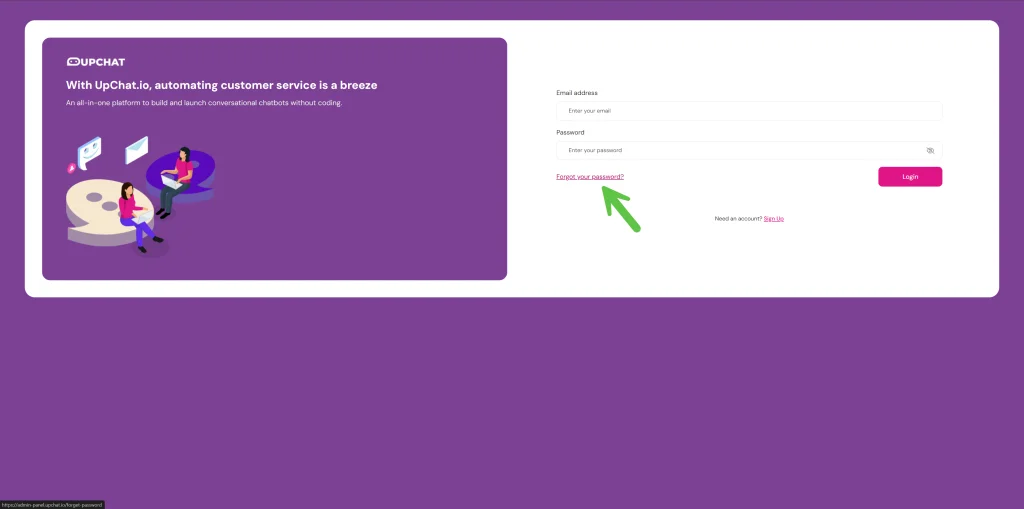
If you’ve forgotten your password, no problem—it happens to the best of us. Head to the UpChat.io login page and click “Forgot my password.” Enter your email, and we’ll send you a secure link to reset it. Follow the steps, choose a new password, and you’ll be back in action.
How to Change Your Password
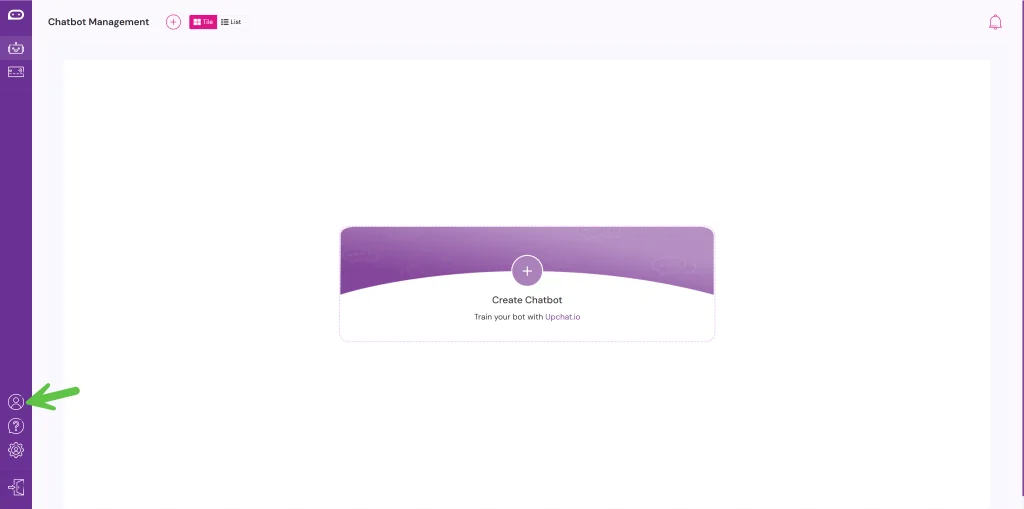
Step 1. From your dashboard, navigate to your Profile by clicking on the profile icon in the left-hand toolbar. This is where you can manage your account settings, including updating your password.
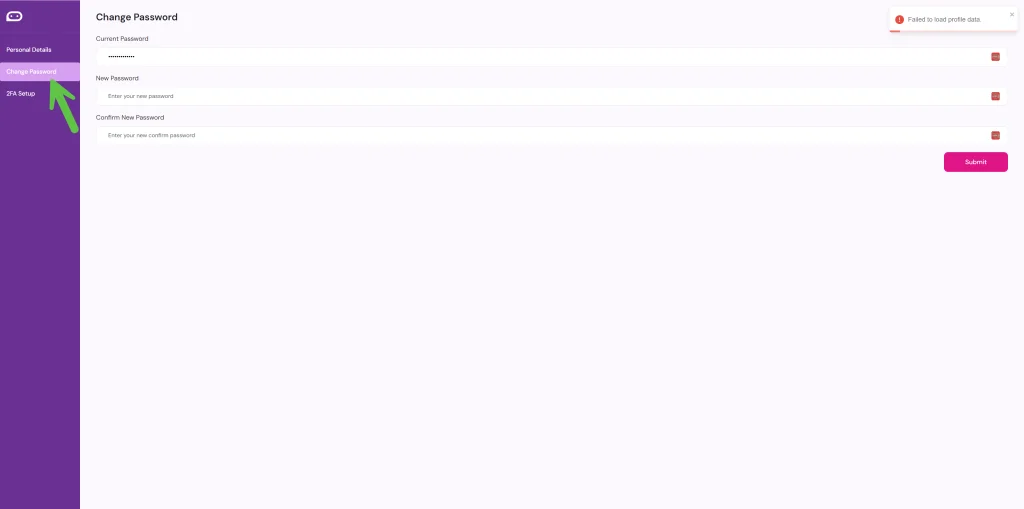
Step 2. Click on “Change Password.” You’ll be prompted to enter your current password, followed by your new password. Make sure it’s something secure—and something you’ll remember!