Ready to bring your AI chatbot widget to life on your WordPress site? If you’re using Elementor, the good news is that installation is quick, easy, and requires zero coding. In just a few steps, you’ll have your UpChat.io chatbot live and ready to engage visitors, capture leads, and provide 24/7 support. Follow the guide below to install your chatbot widget and give your website the intelligent, always-on assistant it deserves.
From WordPress Admin Panel
From your WordPress admin dashboard, go to the Elementor section on the left-hand menu and click Custom Code.
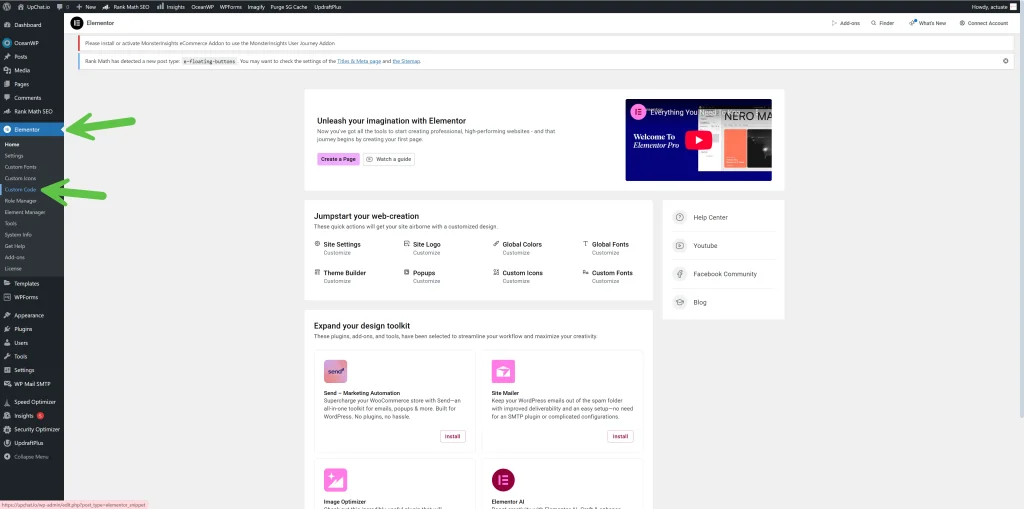
Elementor > Customer Code
Once you’re in the Custom Code section under Elementor, click the “New Code” button at the top of the page. This is where you’ll create a new snippet to insert your UpChat.io AI chatbot widget into your site. It only takes a minute, and once added, your bot will be live and ready to work its magic across your entire site.
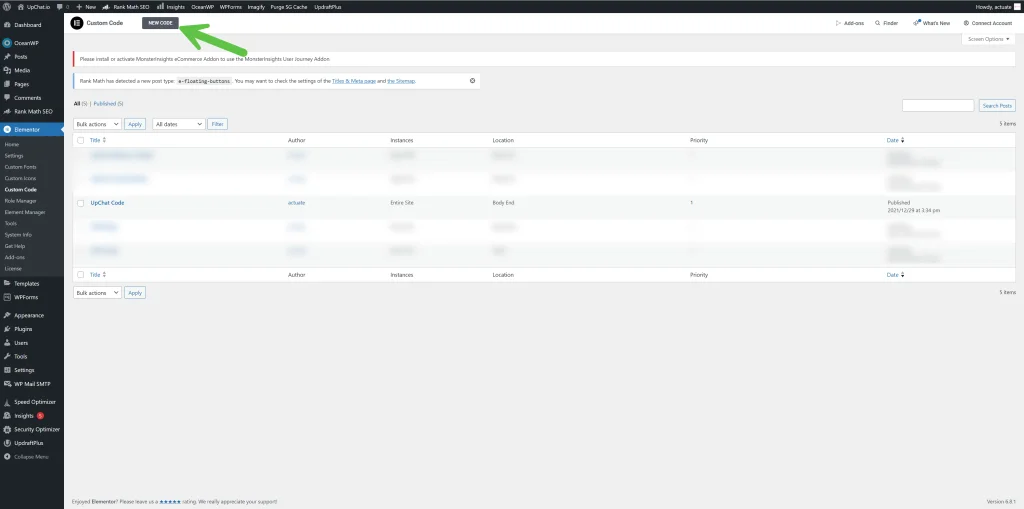
New Code
Next, paste your UpChat.io embed code into the code editor box. This is the script that powers your AI chatbot widget and brings it to life on your website. Make sure to set the Location dropdown to `</body> - End`—this ensures the chatbot loads properly on every page without interfering with your site’s layout or performance. Once you’re done, click Publish on the right, and your bot will be live and ready to chat!
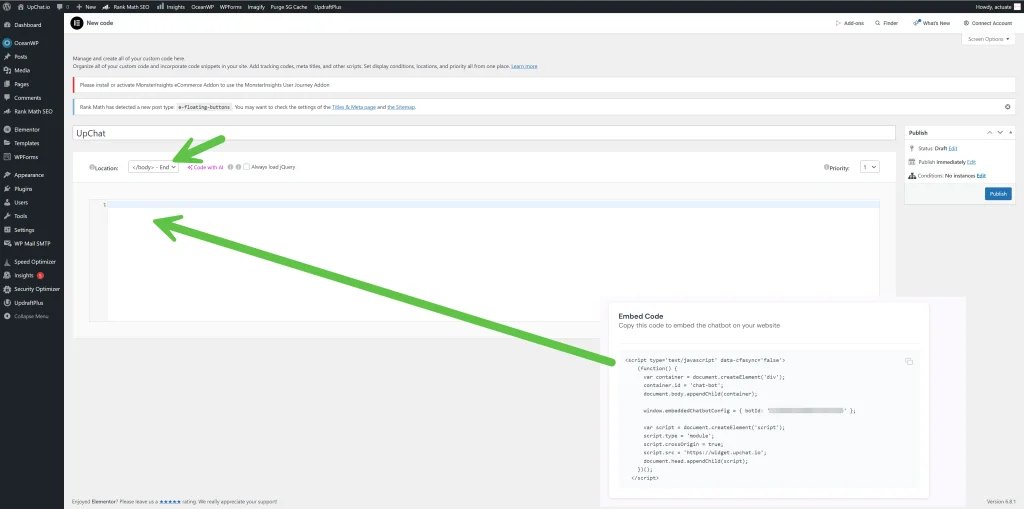
Publish & Include
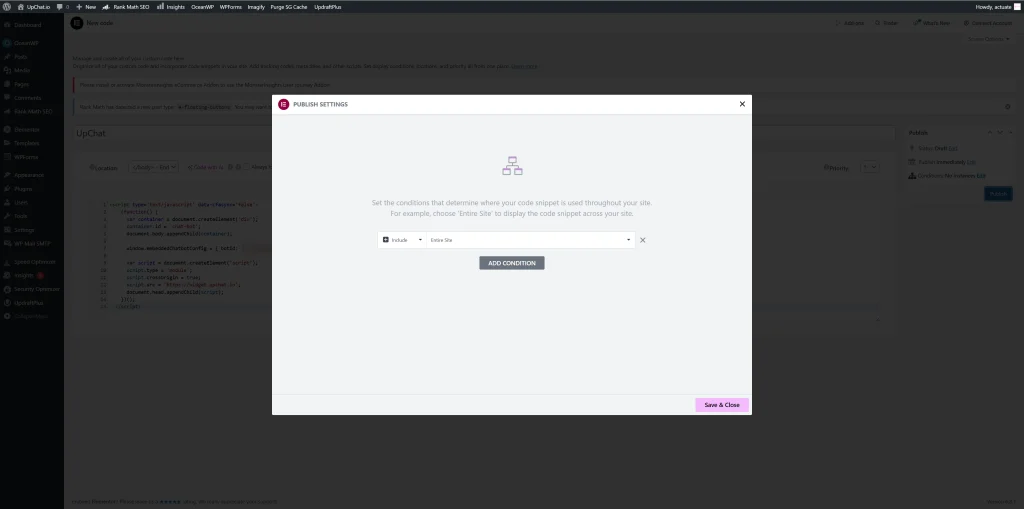
To finish up, click Publish, then set the condition to Include → Entire Site so your UpChat.io AI chatbot widget appears across all pages. This ensures your chatbot is always available—whether a visitor lands on your homepage, contact page, or a blog post. Once that’s selected, click Save & Close, and just like that, your chatbot is live and ready to start helping, selling, and supporting 24/7.